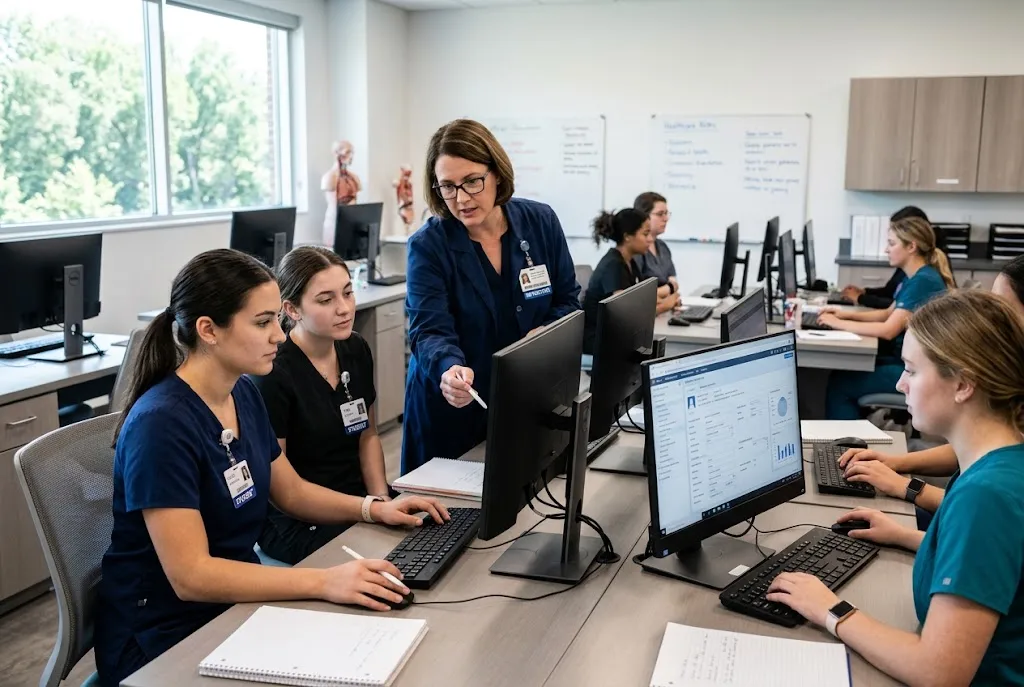
Medical assistants work in an environment where accurate patient information, organized documentation, and efficient communication are essential. As healthcare organizations increasingly depend on electronic health records, students preparing for medical assistant careers also need opportunities to become familiar with digital documentation.
A Medical Assistant EHR can provide a simulated environment where students practice working with patient records without using real patient information. This can help connect classroom learning with the digital workflows they may encounter during their careers.
For educators, however, choosing the right platform requires more than finding software that looks similar to a clinical record system. The technology should support learning objectives, provide realistic scenarios, and remain easy for students and instructors to use.
What Is a Medical Assistant EHR?
A Medical Assistant EHR is an educational electronic health record environment designed to help students learn and practice digital documentation.
Rather than accessing actual patient records, students can work with simulated information and educational scenarios. This gives them a controlled environment in which to become familiar with common EHR concepts.
Depending on the platform and curriculum, students may practice reviewing patient information, entering documentation, examining histories, and working through simulated healthcare situations.
The goal is to help students understand how electronic records support the broader patient-care process.
Why EHR Training Matters for Medical Assistant Students
Medical assistants can perform a variety of administrative and clinical tasks depending on their role and workplace.
Electronic records can be involved in many parts of the workflow, from reviewing patient information to documenting relevant details.
Students therefore benefit from learning how digital records are organized before entering a professional environment.
An educational EHR can provide an opportunity to practice without the risks associated with real patient data.
Students can learn from mistakes, repeat activities, and become more comfortable with digital documentation while still in an academic setting.
1. Match the EHR to the Curriculum
Every medical assistant program has its own learning objectives.
Before selecting a platform, educators should identify what students need to practice.
Potential learning areas may include:
- Reviewing patient records
- Understanding patient histories
- Recording relevant information
- Working with simulated clinical scenarios
- Understanding digital documentation
- Navigating electronic records
A platform should support these objectives instead of forcing instructors to redesign their curriculum around the technology.
2. Look for Realistic Patient Scenarios
Students are more likely to understand the purpose of an EHR when they work with realistic educational scenarios.
A simulated patient record might include:
- Demographic information
- Medical history
- Allergies
- Medications
- Vital signs
- Clinical notes
- Assessment information
These details can give students context for their assignments.
For example, instead of simply asking a student to practice entering information, an instructor can create a scenario where the learner reviews a patient’s history and then documents information based on the encounter.
3. Make Documentation Part of the Learning Process
EHR training should not be limited to navigation.
Students need to understand why documentation matters and how information can be organized within a patient record.
Educational activities can ask students to review simulated information, identify relevant details, and complete appropriate documentation.
This can reinforce lessons taught in the classroom while helping students become more comfortable with electronic workflows.
4. Evaluate Instructor Features
A platform needs to be practical for faculty as well as students.
Educators may want to create assignments, develop patient scenarios, review student work, and provide feedback.
Before choosing a solution, ask whether instructors can:
- Create activities
- Customize scenarios
- Assign work
- Review submissions
- Provide feedback
- Adapt activities to different courses
Strong instructor controls can make the platform easier to integrate into existing teaching.
5. Consider Different Student Skill Levels
Students may enter a medical assistant program with different levels of technology experience.
Beginners may need simple activities focused on navigation and basic record review. More advanced students may be ready for complex documentation scenarios.
A flexible platform should allow educators to adjust activities according to student experience and course level.
This can make the same technology useful throughout a student’s academic journey.
6. Connect EHR Practice With Other Skills
Medical assistant education involves more than electronic records.
Students may also study patient communication, medical terminology, clinical procedures, administrative tasks, and other healthcare topics.
An EHR simulator can complement these areas by providing a digital environment in which students apply what they have learned.
For example, a classroom lesson about patient intake can be followed by a simulated activity requiring students to review and document relevant patient information.
This creates a connection between theory and practical digital skills.
7. Look for an Easy-to-Use Interface
Students should be able to focus on healthcare education rather than struggling with complicated software.
An intuitive interface can make implementation easier for both instructors and learners.
Educators should consider:
- How quickly students can understand the interface
- Whether navigation is straightforward
- How easily records can be accessed
- Whether assignments are easy to follow
- How much training instructors need
Ease of use can be particularly important when EHR activities are added to an already busy curriculum.
8. Consider Simulation-Based Learning
Simulation can help medical assistant students practice applying knowledge in realistic situations.
An educational EHR can become part of that experience by allowing students to interact with simulated records before or after a scenario.
For example, a student could review a simulated patient’s information, participate in an educational activity, and then document relevant findings.
This can make the learning experience more comprehensive.
9. Check Accessibility
If students can access the platform outside the classroom, educators may be able to assign additional practice as homework.
This can be useful for students who need extra time to become familiar with digital documentation.
Before selecting a platform, institutions should confirm how students access the system, what devices are supported, and whether the access model fits the school’s teaching environment.
10. Review Pricing and Long-Term Value
Cost is important, but schools should evaluate the overall value of the platform.
A lower-cost system may not provide the instructor tools or educational capabilities a program requires.
When comparing options, ask:
- Are student accounts included?
- Are instructor accounts included?
- Is technical support included?
- Are updates included?
- Are there implementation charges?
- Can multiple classes use the system?
- Can the platform scale with enrollment?
A clear pricing structure makes budgeting easier.
How a Medical Assistant EHR Can Support Career Preparation
Students entering the workforce will encounter different EHR platforms depending on their employer.
The goal of an educational system is therefore not necessarily to teach one commercial interface. Instead, it should help students understand fundamental digital documentation concepts that can transfer to different environments.
Familiarity with patient records, navigation, documentation, and digital workflows can make the transition from classroom learning to professional practice more comfortable.
ChartFlow as a Student Learning Resource
Programs exploring a Medical Assistant EHR can consider education-focused platforms that provide simulated EHR practice.
ChartFlow offers an educational EHR environment designed around healthcare education and simulation. Its resources can give students opportunities to work with simulated patient scenarios and become more familiar with electronic documentation.
ChartFlow also provides a course catalog designed for students in healthcare education, including medical assistant learners.
Students and educators can explore the ChartFlow course catalog for additional learning resources.
Questions Educators Should Ask
Before selecting an EHR platform for a medical assistant program, consider these questions:
- Does the system support our curriculum?
- Can students work with realistic simulated records?
- Can they practice documentation?
- Can instructors create assignments?
- Can faculty review student work?
- Does it support simulation activities?
- Is the interface easy to learn?
- Can students access activities outside class?
- Is pricing transparent?
- Can the platform support future enrollment growth?
A structured evaluation can help programs avoid choosing software based only on appearance or marketing claims.
Common Mistakes to Avoid
One common mistake is assuming that an educational EHR needs to reproduce every feature found in a commercial hospital system.
Students do not necessarily need every advanced function. They need the tools that support their learning objectives.
Another mistake is overlooking instructor usability.
If faculty members cannot easily create activities or review student work, the platform may become difficult to maintain.
Schools should also avoid choosing technology without considering how it will fit into existing courses and assessments.
Final Thoughts
A Medical Assistant EHR can give students a valuable opportunity to practice electronic documentation and patient-record workflows before entering professional healthcare environments.
The right platform should support realistic learning without creating unnecessary technical complexity. Educators should evaluate curriculum alignment, simulated scenarios, documentation capabilities, instructor tools, usability, accessibility, pricing, and scalability before making a decision.
When EHR practice is integrated into broader medical assistant education, students can gain experience with digital workflows while continuing to develop the clinical and administrative skills required in modern healthcare settings.